
Outlook Express Backup Tiger1.2 - Download
You'll be able to download in few seconds.
Publisher Description
What would happen if all your e-mail messages, e-mail account settings,
identities and address books suddenly disappeared from your computer? How
much effort would it take to get it all back? Would you be able to return
everything? Probably not. You might recover some addresses from your memory,
notes and business cards. But the rest of the addresses you'd have to
resurrect from scratch. A missing e-mail archive is a serious loss even for a
home PC user. On-line forum logins, on-line payment histories, various emails
and replies...all would be lost.
Outlook Express is a nice, free, e-mail client that comes with each Windows
installation. Unfortunately, its message database, settings and address books
are vulnerable to dangerous virus attacks, disk failures and other threats.
You need a reliable backup plan to secure your data. While standard backup
methods are time-consuming and require some knowledge about your system,
there is a simple solution you can use on daily basis.
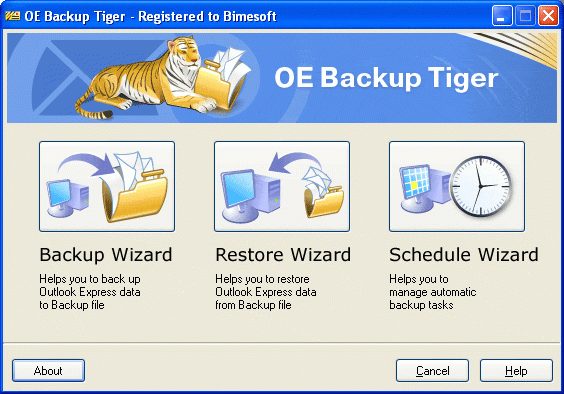
Outlook Express Backup Tiger helps you backup your Outlook Express files in
four quick clicks. A Wizard-like interface allows you to customize backup
options and the location to save the resulting backup file. The program can save
your e-mail and news data, hotmail messages, accounts, rules, block senders,
signatures and options. In addition, it can backup the global Windows address
book and Internet Explorer Favorites.
Outlook Express Backup Tiger supports OE versions 5.x and 6.x. You can
protect the resulting backup file with a password and use compression to reduce its
size. The program can also be used to transfer data between computers. For
example, you can synchronize the e-mail data between your desktop PC and a
notebook. Or, you can transfer your settings from an old to a new PC.
About Outlook Express Backup Tiger
This Backup & Restore program is available in English. It was last updated on 29 September, 2026. Outlook Express Backup Tiger is compatible with the following operating systems: Windows.
The company that develops Outlook Express Backup Tiger is Bimesoft. The latest version released by its developer is 1.2.
The download we have available for Outlook Express Backup Tiger has a file size of N/A. Just click the green Download button above to start the downloading process. The program is listed on our website since 2005-05-30 and was downloaded 0 times. We have already checked if the download link is safe, however for your own protection we recommend that you scan the downloaded software with your antivirus. Your antivirus may detect the Outlook Express Backup Tiger as malware if the download link is broken.
How to install Outlook Express Backup Tiger on your Windows device:
- Click on the Download button on our website. This will start the download from the website of the developer.
- Once the Outlook Express Backup Tiger is downloaded click on it to start the setup process (assuming you are on a desktop computer).
- When the installation is finished you should be able to see and run the program.
Program Details
System requirements
Download information
Pricing
Version History
version 1.2
posted on 2005-05-30
Disclaimer
External Download
We do not host Outlook Express Backup Tiger on our servers. We did not scan it for viruses, adware, spyware or other type of malware. This app is hosted by the software publisher and passed their terms and conditions to be listed there. We recommend caution when installing it.
The external download link for Outlook Express Backup Tiger is provided to you by apps112.com without any warranties, representations or guarantees of any kind, so access it at your own risk.
If you have questions regarding this particular app contact the publisher directly. For questions about the functionalities of apps112.com contact us.
